Vue 项目接入 storybook 支持 AntDesign

一、初始化
npx storybook init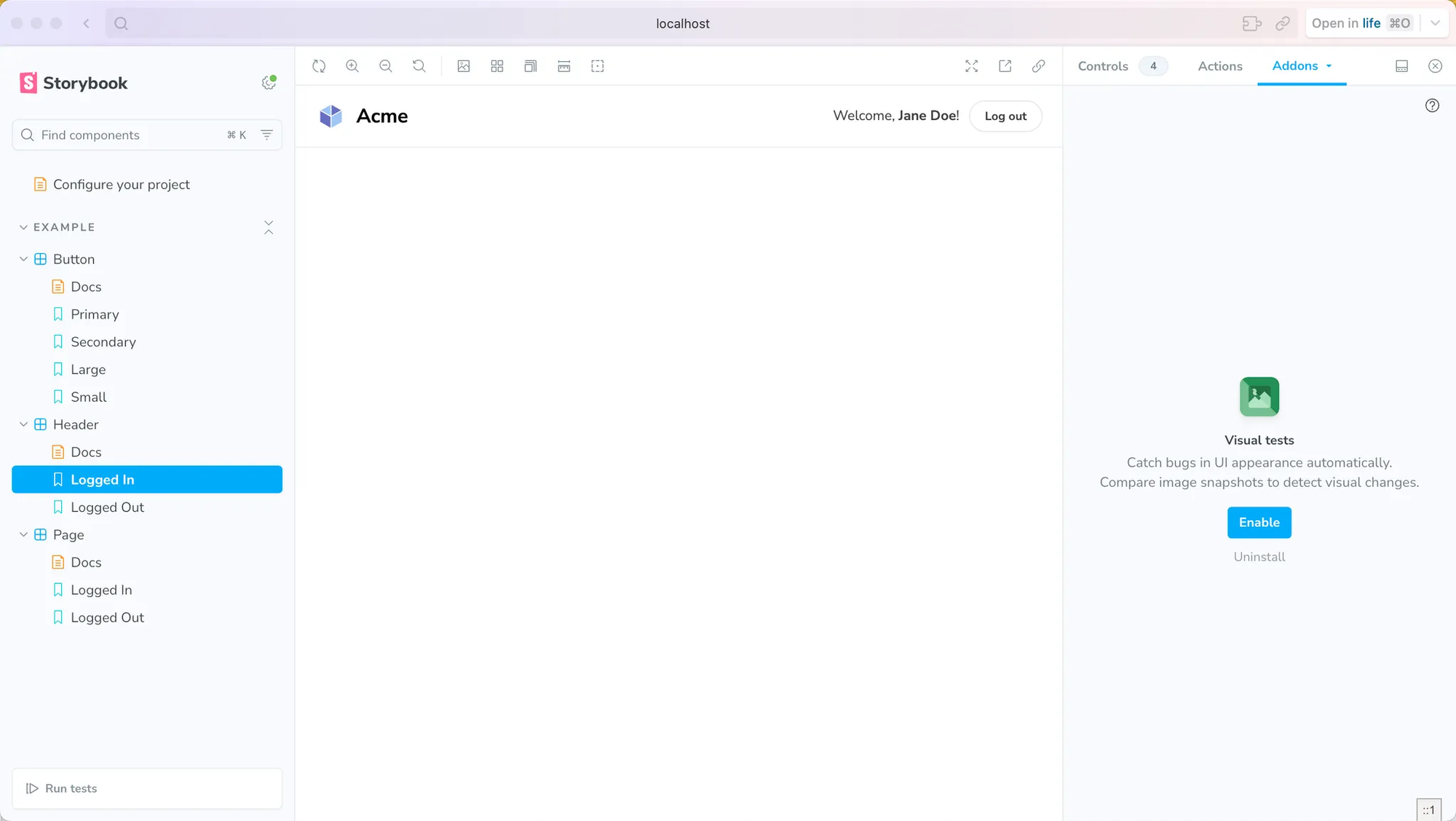
package.json 新增了 3 个 script
{
  "name": "admin-frontend",
  "private": true,
  "version": "1.0.0",
  "description": "xxx",
  "author": "xxx",
  "type": "module",
  "scripts": {
    ...
    "type:check": "vue-tsc --noEmit --skipLibCheck",
    "storybook": "storybook dev -p 6006",
    "build-storybook": "storybook build"
  }
}
二、组件接入
项目组件使用到了 ant-design 需要特别扩展一下 storybook,不然会报错。
⚠️
[Vue warn]: Failed to resolve component: a-form-item
If this is a native custom element, make sure to exclude it from component resolution via compilerOptions.isCustomElement.
at <VersionControlSingle value= Array(1) >
at <Anonymous>
at <App>
If this is a native custom element, make sure to exclude it from component resolution via compilerOptions.isCustomElement.
at <VersionControlSingle value= Array(1) >
at <Anonymous>
at <App>
修改文件.storybook/preview.ts
import type { Preview } from '@storybook/vue3';
import { setup } from '@storybook/vue3';
import Antd from 'ant-design-vue';
const preview: Preview = {
    parameters: {
        controls: {
            matchers: {
                color: /(background|color)$/i,
                date: /Date$/i,
            },
        },
    },

};
setup((app) => {
    app.use(Antd);
});

export default preview;
storybook 存放路径在 src/stories,以 .stories.ts 结尾的文件。如
ls stories/*.stories.ts
stories/Button.stories.ts stories/Header.stories.ts stories/Page.stories.ts   stories/Page2.stories.ts
一个基本的组件 Story 长这样,更多配置参考:
https://storybook.js.org/docs/writing-stories
import { fn } from '@storybook/test';
import type { Meta, StoryObj } from '@storybook/vue3';

import Button from './Button.vue';

// meta 用来定义这个 story 的元数据,更多配置参考: https://storybook.js.org/docs/writing-stories
const meta = {
  title: 'Example/Button',
  component: Button,
  // 使用 autodocs 会自动创建 docs entry: https://storybook.js.org/docs/writing-docs/autodocs
  tags: ['autodocs'],
  // 定义包含的参数类型
  argTypes: {
    size: { control: 'select', options: ['small', 'medium', 'large'] },
    backgroundColor: { control: 'color' },
  },
  args: {
    primary: false,
    // Use `fn` to spy on the onClick arg, which will appear in the actions panel once invoked: https://storybook.js.org/docs/essentials/actions#action-args
    onClick: fn(),
  },
} satisfies Meta<typeof Button>;

export default meta;
type Story = StoryObj<typeof meta>;
/*
 *👇 Render functions are a framework specific feature to allow you control on how the component renders.
 * See https://storybook.js.org/docs/api/csf
 * to learn how to use render functions.
 */
export const Primary: Story = {
  args: {
    primary: true,
    label: 'Button',
  },
};

export const Secondary: Story = {
  args: {
    primary: false,
    label: 'Button',
  },
};

export const Large: Story = {
  args: {
    label: 'Button',
    size: 'large',
  },
};

export const Small: Story = {
  args: {
    label: 'Button',
    size: 'small',
  },
};